Configuration
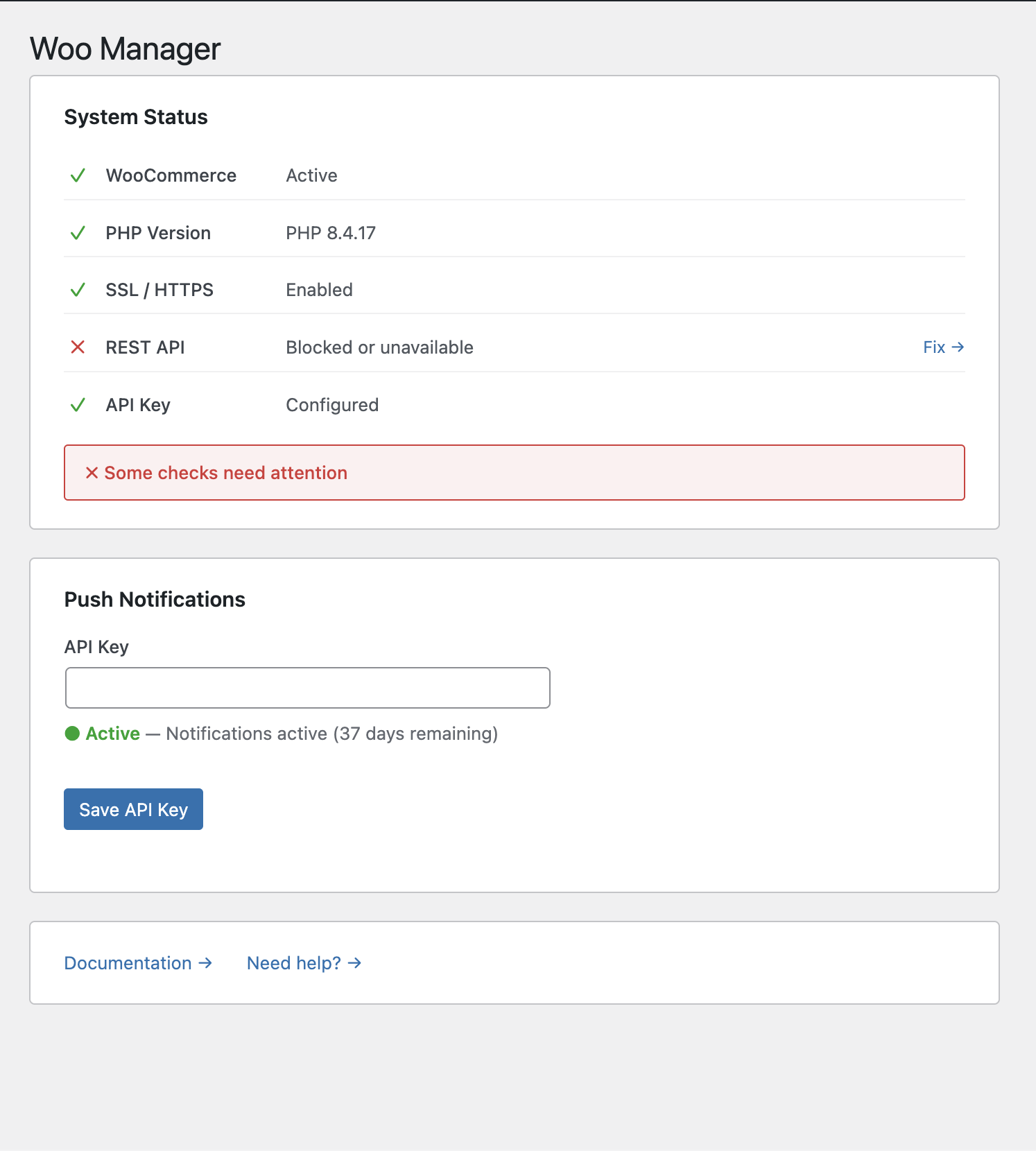
After activating the plugin, go to Settings > Woo Manager in your WordPress admin.
Enter Your API Key
- Paste the API key you received after subscribing in the app
- Click Save Changes
Keep your API key private. Anyone with your key could potentially send notifications to your device.
Subscription Status Badge
After saving your API key, the page shows a status indicator:
- Active – your subscription is active and notifications are working
- Grace Period – your subscription has expired but you have a 7-day grace period (notifications still work)
- Expired – your subscription has expired and notifications have stopped. Renew by opening the Woo Manager app.
Next: Updates